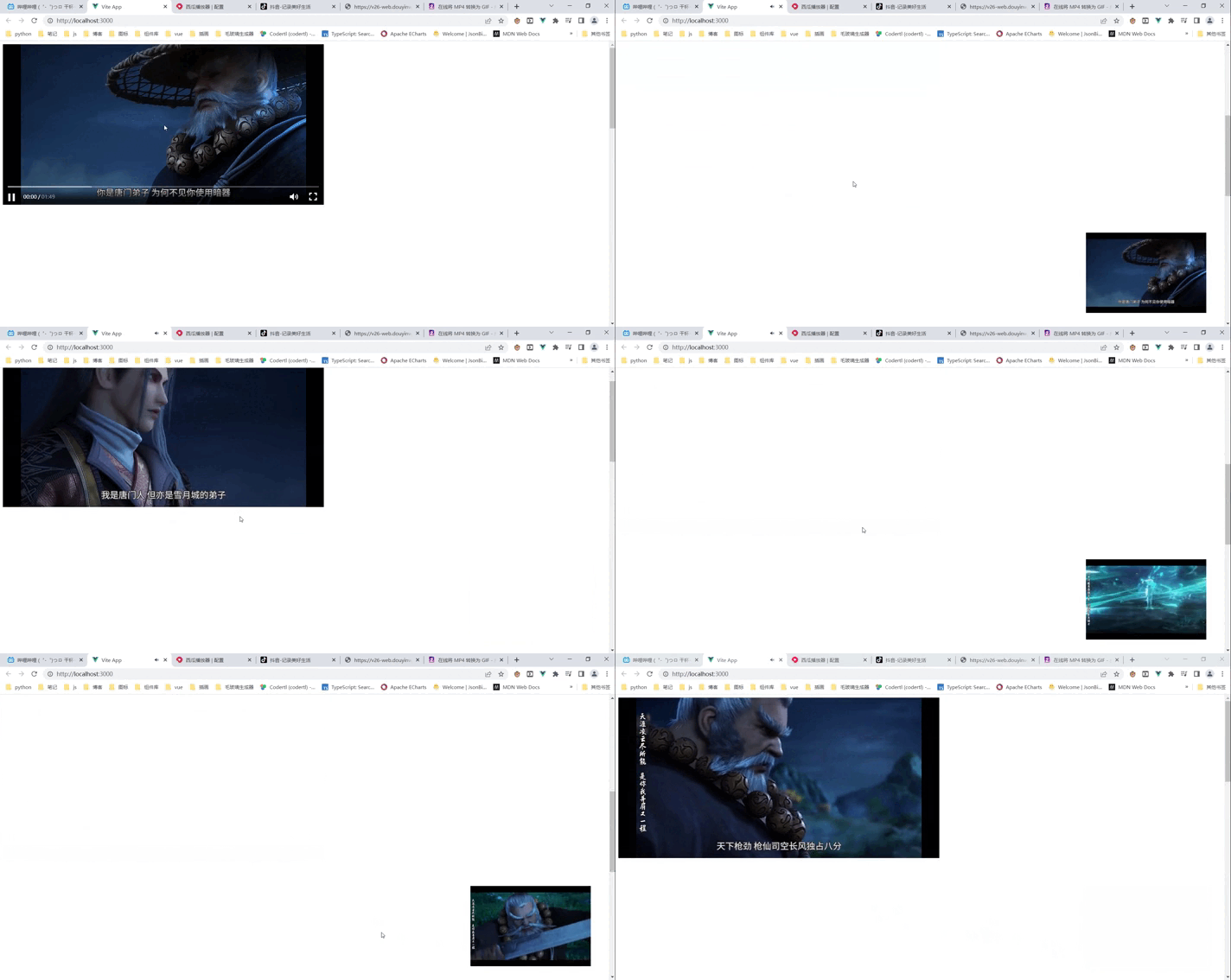
使用 vue3 的 Teleport 组件实现 bilibili 视频穿梭功能
效果演示

安装工具
西瓜视频播放器
npm install xgplayer
网址 https://v2.h5player.bytedance.com/
vueUse
VueUse 是一组基于 Composition API 的实用函数
npm i @vueuse/core
案例代码
1
2
3
4
5
6
7
8
9
10
11
12
13
14
15
16
17
18
19
20
21
22
23
24
25
26
27
28
29
30
31
32
33
34
35
36
37
38
39
40
41
42
43
44
45
46
47
48
49
50
51
52
53
54
55
56
57
58
59
60
61
62
63
64
65
| <template>
<!-- 小视频的播放窗口 -->
<div class="player-small"></div>
<!-- 被监听出入视口的站位元素 -->
<div class="video-container" ref="videoContainerRef"></div>
<!-- 大的视频播放窗口 -->
<div class="player-big">
<Teleport to=".player-small" :disabled="isVisible">
<div id="mse"></div>
</Teleport>
</div>
<!-- 撑出页面滚动的元素 -->
<div class="box" style="height: 2000px"></div>
</template>
<script setup>
import { ref, onMounted } from "vue";
import { useIntersectionObserver } from "@vueuse/core";
import Player from "xgplayer";
import shaoniangehangMp4 from "@/assets/mp4/shaoniangehang.mp4";
import shaoniangehangImg from "@/assets/img/shaoniangehang.png";
// 被监控的元素
const videoContainerRef = ref(null);
// 是否穿梭
const isVisible = ref(true);
onMounted(() => {
const dp = new Player({
id: "mse",
url: shaoniangehangMp4,
width: "100%",
height: "100%",
poster: shaoniangehangImg,
});
// 监听站位元素是否在可见区域
const { stop } = useIntersectionObserver(
// 被监听的元素
videoContainerRef.value,
([{ isIntersecting }]) => {
isVisible.value = isIntersecting;
}
);
});
</script>
<style scoped>
.video-container {
width: 800px;
height: 400px;
position: absolute;
top: 0;
left: 0;
}
.player-big {
width: 800px;
height: 400px;
}
.player-small {
position: fixed;
bottom: 5%;
right: 3%;
width: 300px;
height: 200px;
}
</style>
|